LexoraOS

Valet and paid parking that run themselves.

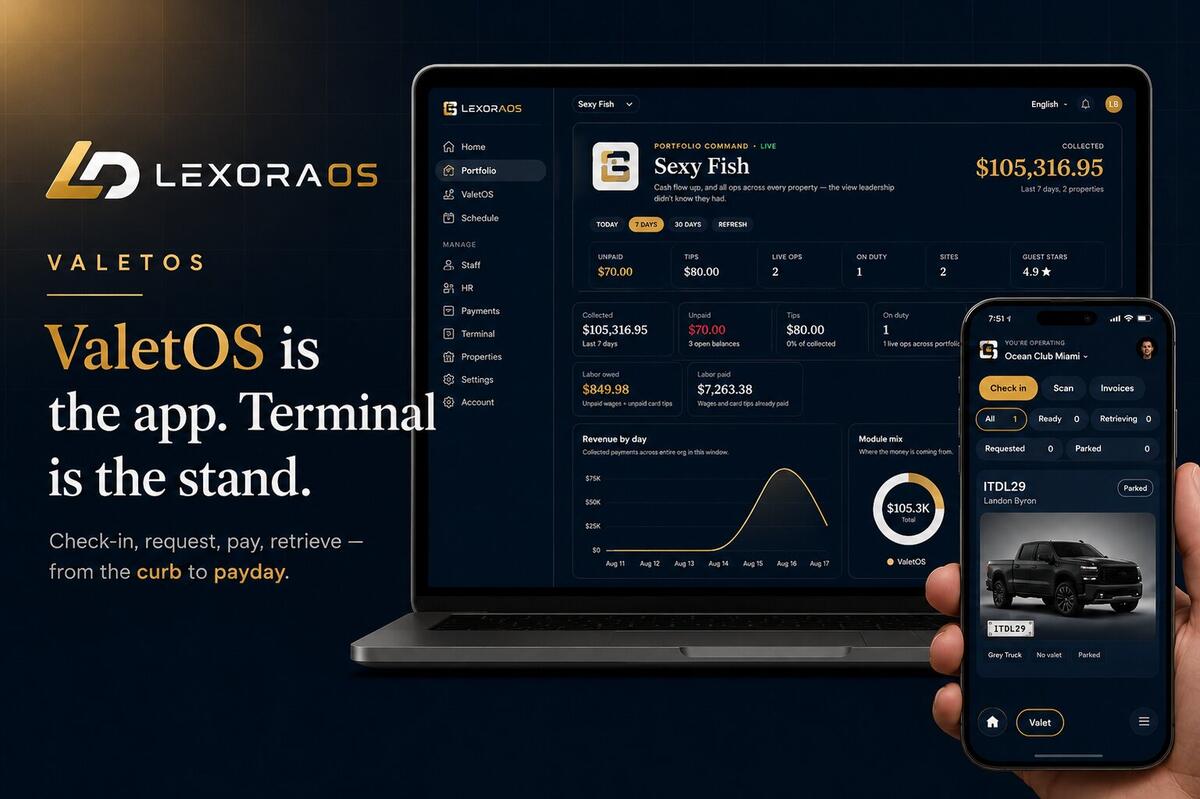
LexoraOS is the workspace hotels, garages, and apartment buildings use to check in cars, collect payments, and open gates — cameras read the plate, the driver's phone does the rest. No meters, no booth, no app download.

Built for

HotelsRestaurantsApartmentsGarages
ValetOSParkingOSTerminalTaxiOS

ValetOS · Hotels & restaurants

Ticketless valet that runs the stand.

Front-desk and curb crews stop chasing paper stubs. Guests get a live SMS link — bring my car, pay, and tip — with no app download.

app.lexoraos.com / valet

ValetOS

Live board

4 open · 8 spots left

Alerts onCheck in vehicle
BoardHistoryReportsRates & stand

4 / 12

Cars on lot

6m

Avg retrieval

3

Unpaid

$412

Today

Parked

1
1029
Unpaid42m

Jordan Lee

MBZ GLE · C21

Requested

1
1042
Unpaid3m

Alex Rivera

BMW X5 · A12

Start retrieval

Retrieving

1
1038
Link sent1m

Sam Chen

TES M3 · B04

Car at the stand

Ready for guest

1
1031
UnpaidNow

Mia Park

AUD Q7 · Curb

Tap to Pay $28

Guest ticket

1042

BMW X5 · Ready at curb

Bring my car
Pay & tip $28

Watch the stand

Intake to tip — in one loop.

ValetOS

Arrive. Request. Retrieve. Tip.

Live

Valet lot

3 / 4 full

A11

A14

A13

Open

A12

Open
Valet stand

Live board

#1042

Parked

ABC 1234 · A12

Scan · ABC 1234

SMS

Parked in bay A12

Tap to track · #1042

Guest

Ticket #1042

Parked

Bring my car
Curb

Checkout

$28 + tip

$5$8$12
Pay with card
Tip attributed

01·Intake

1

Intake

2

Parked

3

Request

4

Retrieving

5

Ready

6

Pay & go

For guests

No app. Just a link.

  • SMS ticket with live status
  • One-tap bring my car
  • Pay and tip on their phone
  • Self check-in QR at the stand
  • Apple Wallet with staff-scan QR
  • Your logo and colors on every screen

For the stand

One board replaces paper.

  • Live board from parked to ready
  • Chime when a car is requested
  • Plate-first intake in ~30 seconds
  • Repeat guests recognized by plate
  • Damage notes, photos, lot capacity
  • Cash, Tap to Pay, or pay link — tips attributed

app.lexoraos.com / parking

ParkingOS

Live board

2 active · 1 overstay · 1 awaiting payment · 2 lots

BoardCitationsHistoryReportsLots

2

Active on lot

1

Awaiting payment

2

Unpaid

2

Open lots

Lot fullness

Garage A86 / 120 72%
Surface38 / 40 95%
Live sessions (3 · 1 overstay)
  • ABC1234

    Garage A · until 4:20 PM · $12

    Paid+1hEnd
  • XYZ8821

    Surface · not active until paid · $18

    Awaiting paymentCancelCashTerminal
  • QRS0199

    Garage A · until 5:05 PM · $8

    Paid+1hEnd
  • LMN4402

    Garage B · ended 2:10 PM · $42

    OverstayCashTerminal

ParkingOS · Garages & apartments

Pay-by-plate parking that collects at the gate.

Residents register their plates. Visitors pay from a lot QR — or ask a resident to open the gate. Overstays auto-cite after grace. Every exit can bill a saved card so the line keeps moving.

For drivers

Scan. Pay. Park. Exit fast.

  • Lot QR — phone, plate, rate, pay
  • Free-window countdown, then pay-due timer
  • Card on file — exit charges without stopping
  • Ask a resident to open the gate (free visit)
  • Apple Wallet with live VALID UNTIL
  • Citation pay from a branded guest link

For the lot

Automate the gate. Keep the revenue.

  • Live board — overstays and payment-due first
  • Auto-cite after free window + grace
  • Resident portal — self-register plates
  • Guest passes + visitor request-entry by SMS
  • Attendant Open Gate with full audit trail
  • UniFi AI LPR · lane displays · pro install
  • Card-on-file exit

    First visit saves the card. Next exits auto-charge and open — QR only if the charge fails.

  • Gate command audit

    Every open attempt is logged — success, fault, attendant override, or resident swipe.

  • Exit paywall recovery

    Expired unpaid sessions revive as pay-to-exit — not a dead-end attendant hold-up.

  • Resident self-service portal

    Residents register plates, manage guest passes, and review entry history — no front-desk call.

  • Swipe-to-open recovery

    Misread or denied plate? Residents swipe to open from their phone with a full audit row.

  • Visitor request entry

    Guest scans the kiosk QR, enters a unit, and the resident approves by SMS — same-day pass on approve.

Watch access

Visitor at the gate. Resident on the couch.

Access · Visitor entry

Scan. Unit. Approve. Open.

Live

Entry kiosk

Scan to request

Request entry

Visitor request

Guest at entry gate

Deny
Approve

Same-day pass

Unit 4B · Today

Entry alert

ABC 1234 entered · Unit 4B

01·Pulls up

1

Pulls up

2

Scans QR

3

Unit #

4

Buzzes

5

Approve

6

Gate opens

7

Entry alert

Garage A · Exit

ABC 1234

Scan to claim & pay

$12.00 due

awaiting_claim

Guest-facing display

Plate. Amount. Claim QR.

Mounted at the lane — the driver sees their plate and pays on their phone before the gate opens. Same LexoraOS brand on every screen.

Camera LPR · Gated lots & garages

Watch the lane run itself.

Car pulls up · AI reads the plate · saved card charges or QR shows · gate opens with an audit row — no booth required. Denied and suspended plates stay closed.

Camera LPR

Arrive. Read. Pay. Open.

Live

···· ····

Exit lane

— — —

Stand by

Claim & pay

ABC 1234

$12.00

Pay now
$12.00 captured

01·Approaches

1

Approaches

2

LPR read

3

Display

4

Pays

5

Gate opens

6

Drives through

7

Exit charge

Try the visitor experience

Same screen. Same phone. Same gate.

Pull up to a real lane display, claim on your phone, and watch the gate go green — the production flow, not a mockup.

  1. Pull up
  2. Claim
  3. Open
  4. Wallet
LexoraOS Display
LexoraOS

Garage A · Entry

— — —

Waiting for vehicle

9:41
LexoraOS

Garage A · Entry

Parked

Vehicle YOUR-PLATE

Wallet pass

Garage A · Entry

Active

Status

Active

YOUR-PLATE

Add to Wallet for your expire time. We’ll push about 15 minutes before it ends.

Add to Apple Wallet

Live updates on the pass when time or payment changes.

Enter a plate (optional) and pull up to start.

UniFi AI LPR camera

AI LPR camera

UniFi Access Gate Hub

Gate hub

UniFi Display Cast Pro

Lane display

  • One command center

    Gates, cameras, and lane displays with live status, events, and controls — inside your Lexora workspace, not five vendor apps.

  • Displays that greet by plate

    UC Cast screens show the plate, the amount, and a claim QR the moment a car stops at the lane.

  • Open any gate from anywhere

    One tap from the office or the couch — every command lands in the audit log with who and why.

  • Hardware health, watched

    Offline cameras, stale reads, and unpaired lanes surface before drivers ever notice.

Terminal · Every property

Tap to Pay on the curb. Enforcement in your pocket.

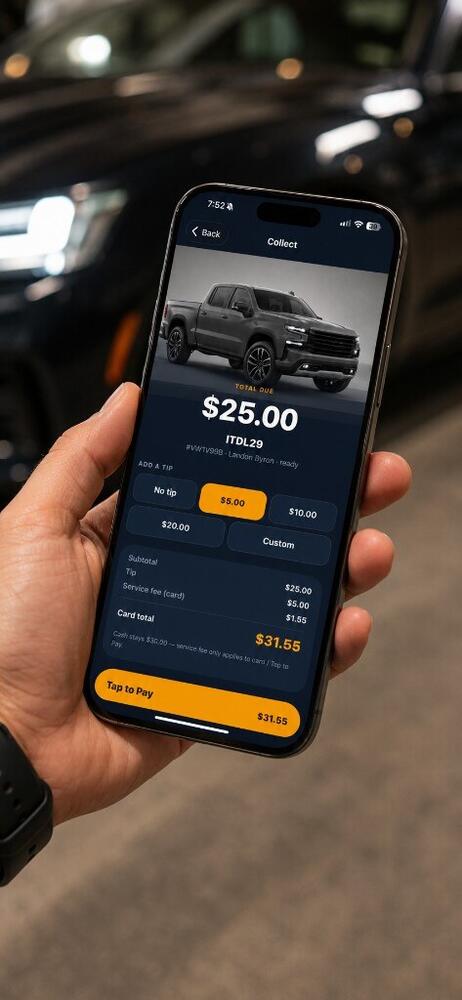
LexoraOS Terminal turns every staff iPhone into a contactless reader — no tote of shared hardware. Valet collect, parking pay, and plate-check citations unlock by role.

  • Valet mode

    Invoices, tip chips, Tap to Pay or cash.

  • Parking collect

    Sessions without tipping friction.

  • Enforcement

    Plate check, lookup, issue citations.

  • Wallet → collect

    Scan staff QR straight into Terminal.

  • Citation receipt

    Thermal-style slip with guest pay QR.

  • My citations

    Open, paid, and waived per officer.

  • Open invoices

    Live list with realtime updates.

  • Multi-property

    Workspace picker for shared staff.

LexoraOSTerminal

Choose a mode

Role × modules on this phone

Valet

Open invoices · tips · Tap to Pay

Parking

Collect sessions · no tip

Enforce

Plate check · citations

Scan Wallet QR → collect on-device

Watch the savings

No tote. No sharing. No $299 fleet.

Terminal

Buy less. Carry less. Share never.

Live

Hardware tax

$897

Shared tote

Reader #1

$299

Reader #2

Who has it?

Reader #3

Walk the lot

Staff iPhone = the reader

LexoraOS

Terminal

Unlock · collect

Collect on this phone

Ticket #1042

Curb · BMW X5

$28

$5$8$12
Tap to Pay

Guest taps here

Pay

•••• 4242

No tote · no share

$28 approved

Why switch

~$897

saved on 3 stands

Nothing to buy, carry, or share

01·Buy & share

1

Buy & share

2

BYO phone

3

Guest taps

4

Paid

5

Save $

iPhone — availableAndroid — coming soon

Get LexoraOS Terminal on iPhone. Android coming soon.

Explore Terminal

TaxiOS · Fleets & hotel cars

GPS-metered trips your dispatch can see.

Drivers meter fares from Terminal while dispatch watches a live fleet map. Passengers track the ride and pay from a branded link — no passenger app required.

app.lexoraos.com / taxi

TaxiOS

Fleet command center

2 live · 1 on trip · 1 offline

Live map

Driver roster
  • Maria Santos

    TAX-4821

    On trip$24.50
  • James Okonkwo

    TAX-1190

    Online
  • Elena Ruiz

    TAX-3307

    Offline

Active trip

Airport → Downtown Hotel

Maria Santos · TAX-4821 · metering

Guest link

For passengers

Track the ride. Pay when you're done.

  • SMS link with live trip status
  • Set or update destination from the phone
  • Pay by card when the trip ends
  • Optional tip for the driver
  • Branded receipt by SMS
  • Your logo on every guest screen

For dispatch

One map. Every driver.

  • Live fleet map with on-trip and idle drivers
  • GPS-metered fares from breadcrumb trails
  • Duty sessions tied to fleet plates
  • Guest pay links and QR from the desk
  • Rates, vehicles, and schedules in one workspace
  • Reports on revenue, utilization, and drivers
  • GPS fare metering

    Distance and wait time from live GPS breadcrumbs — deterministic server-side pricing.

  • Fleet command center

    See who's online, on trip, or offline — with active trip cards and guest links.

  • Guest pay links

    Send a track-or-pay link by SMS from the desk or Terminal — branded to your property.

  • Driver duty & plates

    Drivers pick a registered plate before going on duty; managers can force-end stale sessions.

  • Configurable rates

    Base fare, per-mile, per-minute wait, and minimums — plus optional guest service fees.

  • Desk reports

    Trips, payments, duty hours, and plate utilization with MTD presets and CSV export.

Also for cities & agencies

Partner API when you need to plug in.

Lookup a plate, issue a citation, print a ticket with a pay QR, collect on the guest’s phone — then settle back to the city ledger. Staff enforcement ships today; this API is designed for municipalities.

Partner API

City issues. Lexora settles.

Designed

City OPS

api.lexora

Bearer pk_live_city_•••

GET /v1/partner/plates/ABC1234

plate ABC 1234 · LOT-A

awaiting issue…

STATUS —

Lexora citation

————

ABC 1234 · No session

Amount$75.00
QR

Guest pay

Parking citation

ABC 1234

FEE $75.00

LOT-A · NO PAY

scan to pay

Pay citation

$75.00

Pay now

City ledger

Remit ready

1

Lookup

2

Match

3

Issue

4

Print

5

Guest pays

6

Settled

Apple Wallet

Valet pass

LexoraOS

Status

Requested

Ticket

#1842

Staff scan

Guest experience

No guest app. Just a link — and Apple Wallet.

Guests stay out of the App Store. SMS and Wallet carry status, pay, and staff-scan QR with your brand.

  • Branded guest web

    Valet tickets, parking sessions, and taxi trips.

  • Apple Wallet

    Live status updates via APNs.

  • Staff-scan QR

    Wallet → Terminal collect in one scan.

  • SMS journey

    Check-in, retrieve, ready, pay, receipt.

  • Stripe checkout

    Cards, wallets, and Link.

  • Service fee

    Optional, shown as a clear line item.

  • Your brand

    Logo and colors on every guest surface.

Platform

Built like an OS — not a pile of apps.

Payments, staff, branding, and modules share one control plane so you can grow without rewiring every property.

Stripe Connect

Embedded onboarding, payouts, disputes, and platform take-rate — tips stay with your team.

Staff & roles

Org + property roles with real capabilities. Invite flow, MFA policy, and trusted devices.

Tenant branding

Logo and colors flow into staff shell, guest pages, Payment Element, Terminal, and Wallet.

Multi-property

One login across orgs and properties. Switch workspace on web and Terminal.

Module subscriptions

Enable ValetOS, ParkingOS, or TaxiOS when you're ready. Plan and role gates stay server-side.

Self-serve onboarding

Signup → org → property → modules → billing. Promo trials when you launch with a code.

Pricing

Choose your modules and subscribe.

Simple per-module pricing in your local currency. A paid subscription is required to use the workspace.

Step 1

Create your account

Step 2

Choose your modules

Step 3

Subscribe and start

LexoraOS

Run your next shift on Lexora.

Hotels, restaurants, apartments, garages, and taxi fleets — one workspace for the stand, the lot, the dispatch desk, and the guest phone.